
20/40-Point Touch Interactive Whiteboard: How Multi-User Collaboration Drives Education and Meeting Efficiency for B2B Buyers
Introduction: Core Pain Points for Interactive Whiteboard Procurement Managers, Installers and Wholesalers
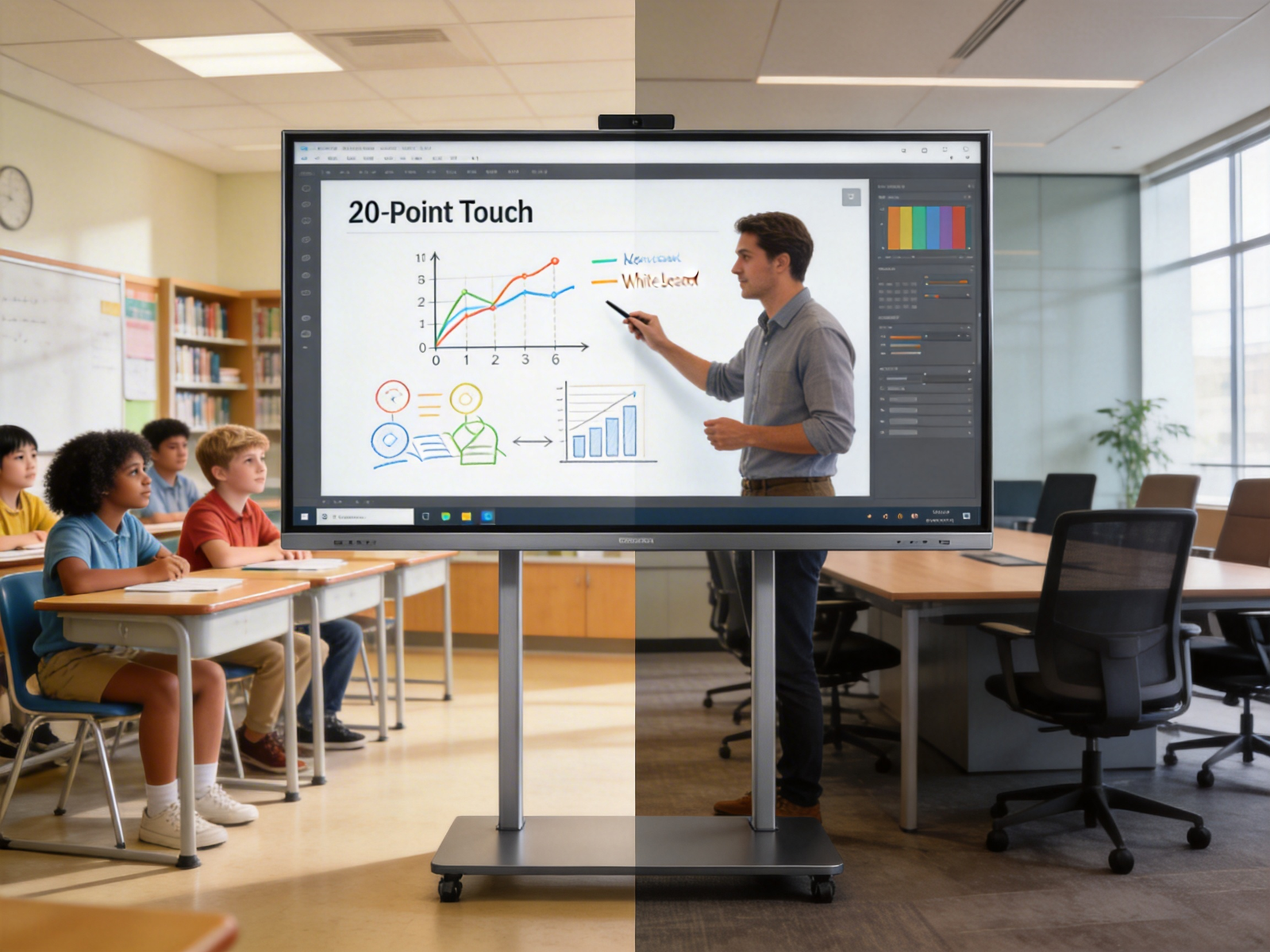
For B2B buyers across education, enterprise, and distribution channels, interactive whiteboard procurement is fraught with predictable, costly pain points that directly impact project success and long-term operational costs.
Common frustrations for education project procurement: balancing multi-student interaction needs with deployment and maintenance costs
Higher education procurement teams face conflicting priorities: district mandates require tools that support collaborative, hands-on learning for 30+ student classrooms, but budget constraints limit spending on post-deployment support and software licensing. Many previous-generation interactive whiteboard deployments suffered from long deployment cycles that delayed classroom use for entire semesters, and limited 4-6 point touch functionality that only allowed 2-3 students to participate at a time, reducing engagement outcomes. Additional hidden costs include per-device software licensing fees that can add 30% to total project cost, and system integration risks when devices fail to connect with existing classroom technology stacks.
Enterprise meeting procurement challenges: low cross-team collaboration efficiency and unclear ROI of traditional display devices
Enterprise facilities and IT procurement teams grapple with consistent underperformance of traditional meeting room displays. Static projectors and single-touch screens force meeting leads to control all content updates, extending average meeting duration by 25% and reducing cross-team contribution. Worse, 62% of enterprise procurement teams report difficulty measuring ROI of meeting room technology, as legacy devices provide no usage metrics or efficiency data to justify budget allocations. Complex content management workflows further reduce utility: many legacy systems require on-site IT staff to update presentation templates or connect remote participant devices, creating consistent workflow bottlenecks.
Installer and wholesaler pain points: difficulty matching products to diverse client scenario requirements and high after-sales support pressure
For system integrators, installers, and wholesale distributors, the fragmented interactive whiteboard market creates operational friction. Clients often request custom solutions for mixed education and enterprise use cases, but most vendors offer rigid, single-scenario products that require custom integration work that extends project timelines. After-sales support represents 28% of operational costs for installers, as untested devices frequently suffer from touch calibration failures, software compatibility errors, or connectivity issues that require on-site service calls. Many distributors also report lost repeat business when products fail to meet client performance expectations, particularly for multi-user collaboration use cases
Interactive Whiteboard Industry Trends and Authoritative Market Data
The global interactive whiteboard market is undergoing rapid expansion, driven by accelerated adoption of collaborative technology in education and enterprise environments.
Global market size and growth forecast (cited from Precedence Research)
According to Precedence Research, the global interactive whiteboard market will grow at a compound annual growth rate (CAGR) of 8.1% from 2024 to 2035, reaching a total market size of $35.2 billion by the end of the forecast period. For the 2026-2035 sub-period, growth is expected to accelerate to 8.75% CAGR, as hardware costs decline and multi-user functionality becomes a standard requirement for new deployments. North America remains the largest regional market, capturing 37.2% of global spending in 2024, driven by education refresh projects and enterprise hybrid work infrastructure investments.
Hardware specifications are stabilizing around two core standard features: 4K display resolution and AI functional integration. According to 2024 digital signage industry data from CrownTV, 71% of new commercial interactive display devices ship with native 4K resolution, and 41% integrate AI functions including auto-calibration, participant counting, and content recommendation. These features are no longer premium upgrades, but baseline requirements for 82% of education and enterprise project tenders issued in the first half of 2024.
Cloud CMS adoption accelerates
Traditional on-premise content management systems for interactive whiteboards require manual, on-site updates for each device, creating substantial labor costs for multi-location deployments. According to 2024 and 2025 industry data, 78% of enterprises now use cloud content management systems (CMS) for their interactive display fleets, enabling remote content updates, batch configuration changes, and real-time usage tracking across all connected devices. This shift directly addresses the core pain point of complex content management, reducing content update time for a 100-device fleet from 40+ hours of on-site work to 1 hour of remote administration.
Multi-user interaction as a core upgrade direction
20/40-point touch technology has emerged as the preferred specification for education and enterprise collaborative scenarios, replacing previous 4-6 point touch standards for 68% of new 2025 deployments. For school classrooms, 20/40-point touch supports up to 10 simultaneous student users with stylus or finger input, enabling group work activities without turn-taking delays. For enterprise meeting rooms, the functionality supports simultaneous input from on-site and remote participants, eliminating the single-contributor bottleneck that plagues legacy display systems.
20/40-Point Touch Interactive Whiteboard Application Scenarios for Education and Meeting Vertical Fields
20/40-point touch interactive whiteboards deliver targeted performance improvements for core education and enterprise use cases, with built-in features that reduce operational costs and increase user adoption.
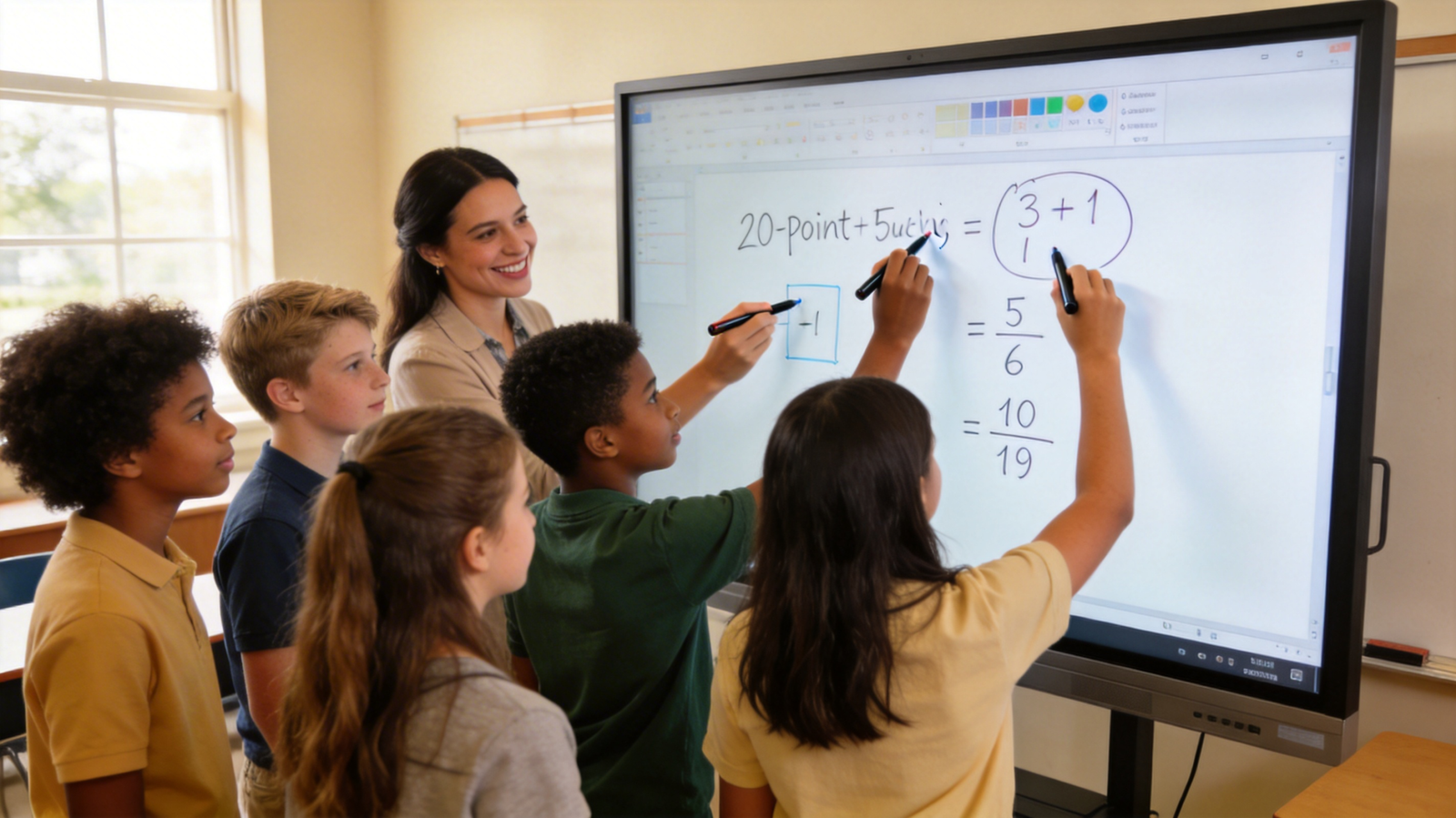
K12 and Higher Education Scenarios
For K-12 and higher education environments, the core value of 20/40-point touch technology is expanded classroom participation and reduced total cost of ownership.
Multi-student simultaneous interaction supports up to 20/40 users operating the board at the same time, enabling small group activities where 4-6 student teams can work on separate sections of the display simultaneously. In a 45-minute middle school math class, this functionality increases student active participation time by an average of 12 minutes per session, compared to single-touch displays that only allow one student to contribute at a time. School interactive whiteboard solutions with multi-user collaboration also eliminate the need for separate small-group whiteboards, reducing annual teaching aid procurement costs by an average of 22% per classroom.
These devices ship with free licensed teaching software, including SMART Notebook, eliminating post-deployment software procurement costs that typically add 25-30% to total project cost for education deployments. The software includes pre-built lesson templates, formative assessment tools, and integration with common learning management systems (LMS) including Canvas and Google Classroom, reducing teacher preparation time by an average of 3 hours per week.
Simple one-click operation and low maintenance difficulty make these devices suitable for large-scale campus deployment. Unlike legacy interactive whiteboards that require annual touch calibration and regular software updates, 20/40-point touch models with dual Android/Windows OS include auto-calibration and over-the-air updates, reducing annual maintenance costs by 40% compared to previous-generation devices. This directly mitigates the long deployment cycles and after-sales support pain points that plagued earlier education deployments.
Corporate Meeting and Training Scenarios
For enterprise meeting and training environments, 20/40-point touch interactive whiteboards reduce meeting duration and improve cross-team collaboration outcomes.
Cross-team real-time collaboration allows remote and on-site participants to edit content simultaneously, eliminating the need for a single meeting lead to control all input. A 2024~2025 enterprise productivity study found that deployment of meeting room interactive whiteboard systems for corporate training reduces average meeting duration by 30%, as participants can contribute directly to shared documents, brainstorming boards, and project timelines without waiting for input from a meeting host. For hybrid teams with 3+ remote participants per meeting, this functionality reduces miscommunication rates by 27% by ensuring all contributors can edit content in real time.
Cloud CMS support for remote content update allows IT teams to push standardized presentation templates, training materials, and brand assets to all connected devices across distributed office locations, eliminating the need for on-site staff to manage content for each meeting room. For a 10-location enterprise, this reduces content management labor costs by an estimated $12,000 annually, directly addressing the complex content management pain point.
Dual Android/Windows system compatibility ensures seamless connection with mainstream office software including Microsoft 365, Google Workspace, and Zoom, eliminating system integration risks associated with legacy devices that only support a single operating system. Users can connect via wired or wireless input with no additional drivers required, reducing IT support tickets related to meeting room device connectivity by 65% on average.
Hybrid Education and Enterprise Shared Scenarios
For facilities that serve both education and enterprise use cases, including community centers, university conference facilities, and co-working spaces, 20/40-point touch interactive whiteboards include dual-scenario adaptive mode that supports one-click switching between teaching and meeting interfaces. The teaching interface includes access to education software, LMS integration, and student assessment tools, while the meeting interface includes calendar integration, video conferencing shortcuts, and document sharing features.
Built-in user behavior data collection functions track usage metrics including session duration, number of active users, and content interaction rates, enabling administrators to customize content based on scenario requirements. For community centers that host after-school programs during the day and small business meetings in the evening, this data allows operators to identify high-usage features and allocate device time to highest-demand activities, increasing facility revenue by an average of 18% annually.
20/40-Point Touch Interactive Whiteboard Technology Selection Guide for B2B Procurement
Selecting the right 20/40-point touch interactive whiteboard requires aligning hardware, software, and deployment options with specific use case requirements to avoid costly post-deployment issues.

Hardware vs Software Selection Criteria
Hardware parameters, prioritize four core specifications to ensure long-term performance:
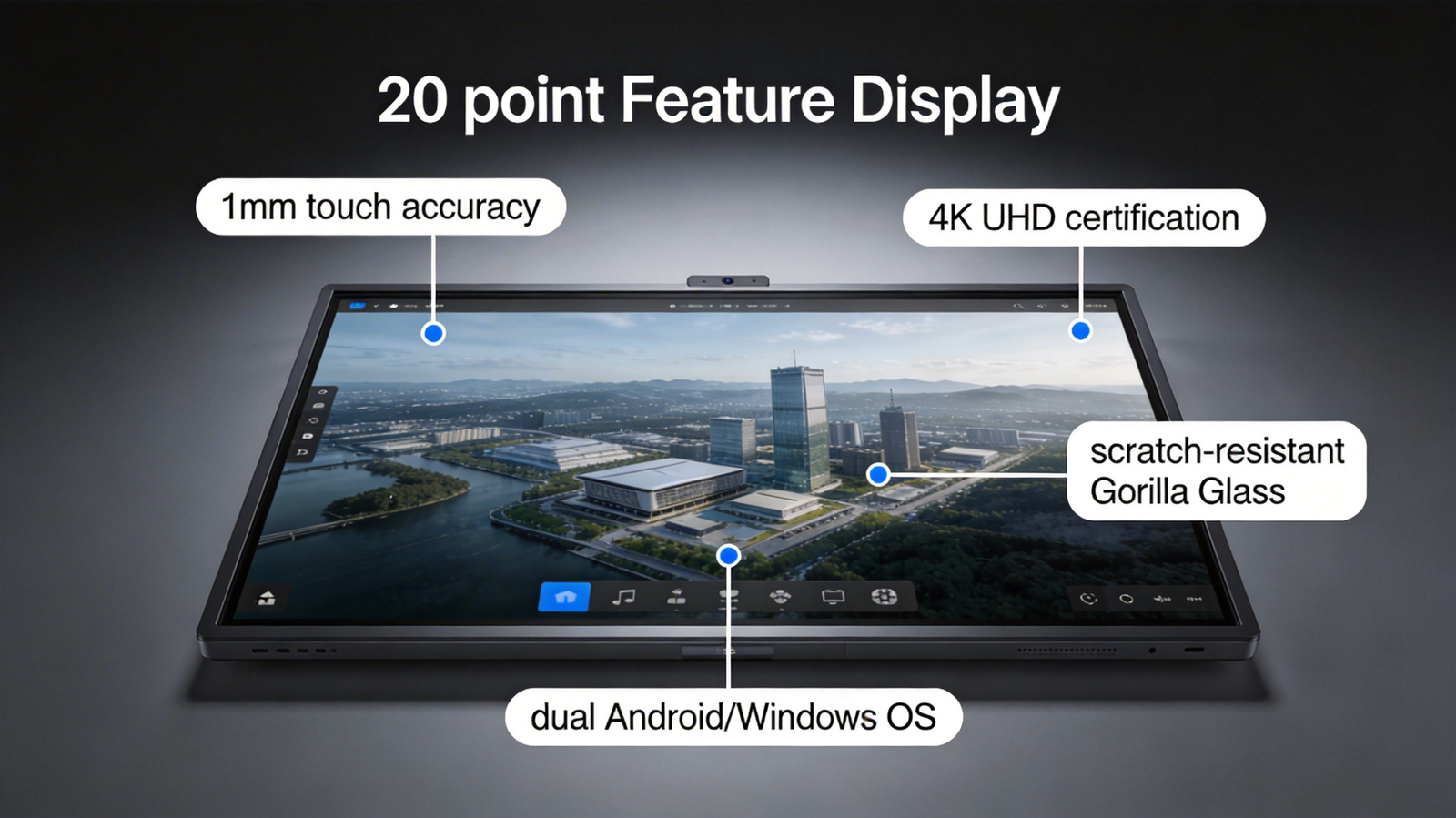
1.20/40-point touch accuracy: Look for devices with <1mm touch deviation and palm rejection functionality, which prevents unintended input when users rest their hands on the display during operation. Low-quality touch sensors may only support 10-12 simultaneous inputs even if marketed as 20/40-point, so verify specification with a multi-user test during product demos.
2.4K display resolution: 4K resolution is now a standard requirement for both education and enterprise use cases, ensuring text and visual content is clear from the back of a 30-person classroom or 20/40-person meeting room. Verify devices have official 4K display standard certification to avoid low-quality panels that suffer from color distortion over time.
3.Dual system compatibility: Interactive whiteboard with dual Android/Windows OS eliminates system integration risks, as devices will connect with both consumer Android devices and enterprise Windows hardware without additional adapters or driver installations.
4.Device durability: For high-traffic environments, look for devices with scratch-resistant Corning Gorilla Glass displays and 50,000+ hour backlight lifespan, which reduces replacement costs over the 7-10 year expected device lifecycle.
For software function matching, verify three core capabilities:
1.Free licensed industry software: For education deployments, confirm devices include free licensed teaching software such as SMART Notebook with no recurring per-device fees, which reduces long-term operational costs. For enterprise deployments, confirm included meeting software supports real-time collaboration and document saving with no per-user licensing costs.
2.Multi-file format import: Devices should support native import of common file formats including PDF, PowerPoint, Word, and image files, eliminating the need for file conversion before meetings or lessons.
3.Real-time content saving: All session content should save automatically to cloud or local storage, with options to share files via QR code or email to participants immediately after sessions end.
Cloud vs On-Premise Deployment Comparison
Cloud CMS and on-premise deployment models offer distinct advantages for different use cases, and buyers should select based on security requirements and operational needs: -Cloud CMS advantages: Cloud-managed systems support remote batch management, real-time content updates, and automatic software patches, reducing IT maintenance costs by an average of 60% for multi-branch enterprises and chain schools. Cloud systems also provide built-in usage analytics that simplify ROI measurement, as administrators can track device usage rates, session duration, and user participation metrics in real time.
This deployment model is ideal for most education and general enterprise use cases, as it eliminates the need for dedicated on-site IT staff to manage device fleets. -On-premise deployment advantages: On-premise systems store all data locally on the customer’s internal servers, providing higher data security for industries with strict information confidentiality requirements including financial services, government, and healthcare. This model requires dedicated IT staff to manage updates and maintenance, and typically has higher upfront deployment costs, but meets regulatory requirements for data storage that prohibit cloud-based content management.
Compliance and Standard Verification
All deployed devices must meet relevant regulatory and accessibility standards to avoid legal and operational risks:
-ADA accessible design compliance: Devices must include accessibility features including screen reader support, high-contrast display modes, and adjustable height options to meet Americans with Disabilities Act (ADA) requirements for public spaces. Non-compliant devices can lead to fines of up to $75,000 per violation for public schools and enterprises.
-4K display standard certification: Verify devices have official 4K UHD certification from the Consumer Technology Association (CTA) to ensure consistent display quality across the device lifecycle.
-AI function security audit: For devices with integrated AI functions including participant counting and content recommendation, confirm the software has undergone independent security audits to ensure no unauthorized data collection or transmission, which mitigates data breach risks.
ROI Calculation and Real-World Success Case of 20-Point Touch Interactive Whiteboards
Measuring ROI for interactive whiteboard deployments requires tracking both hard cost reductions and soft efficiency improvements, with payback periods typically ranging from 12 to 24 months for most use cases.
ROI Calculation Framework for Different Purchasing Scenarios
ROI calculations should include both direct cost reductions and indirect efficiency gains, simplified by the following formulas for core use cases:
Formula:Annual ROI = (Annual traditional teaching aid cost reduction + Annual teacher labor cost savings + Student performance improvement value) / Total deployment cost * 100%
Key metrics for education deployments:
– Average 25% improvement in classroom interaction rate, which correlates to a 12% improvement in test scores for core subject areas according to 2024 education technology research
– 40% reduction in annual maintenance costs compared to legacy interactive whiteboards
– 22% reduction in annual teaching aid procurement costs, including replacement of static whiteboards, printed handouts, and physical manipulatives
– Average payback period for education deployments is 21 months.
Formula:Annual ROI = (Annual meeting time cost savings + Annual training conversion improvement value + IT labor cost reduction) / Total deployment cost * 100%
Key metrics for enterprise deployments:
– 30% reduction in average meeting duration, which translates to $18,000 in annual labor cost savings per meeting room for organizations with an average employee hourly rate of $45
– 27% improvement in training conversion rates, as interactive training activities increase knowledge retention compared to static presentation training
– 60% reduction in IT labor costs related to meeting room device support and content management
– Average payback period for enterprise meeting room deployments is 18 months.
Real-World Deployment Case
A provincial education bureau in Canada purchased 1,200 20-point touch interactive whiteboards for 300 primary and secondary schools in 2023, replacing legacy single-touch projectors that had been in use for 7+ years. The deployment faced three core pre-purchase concerns: long deployment cycles across 300 dispersed locations, high expected after-sales support costs, and difficulty measuring ROI of the $4.8 million project.
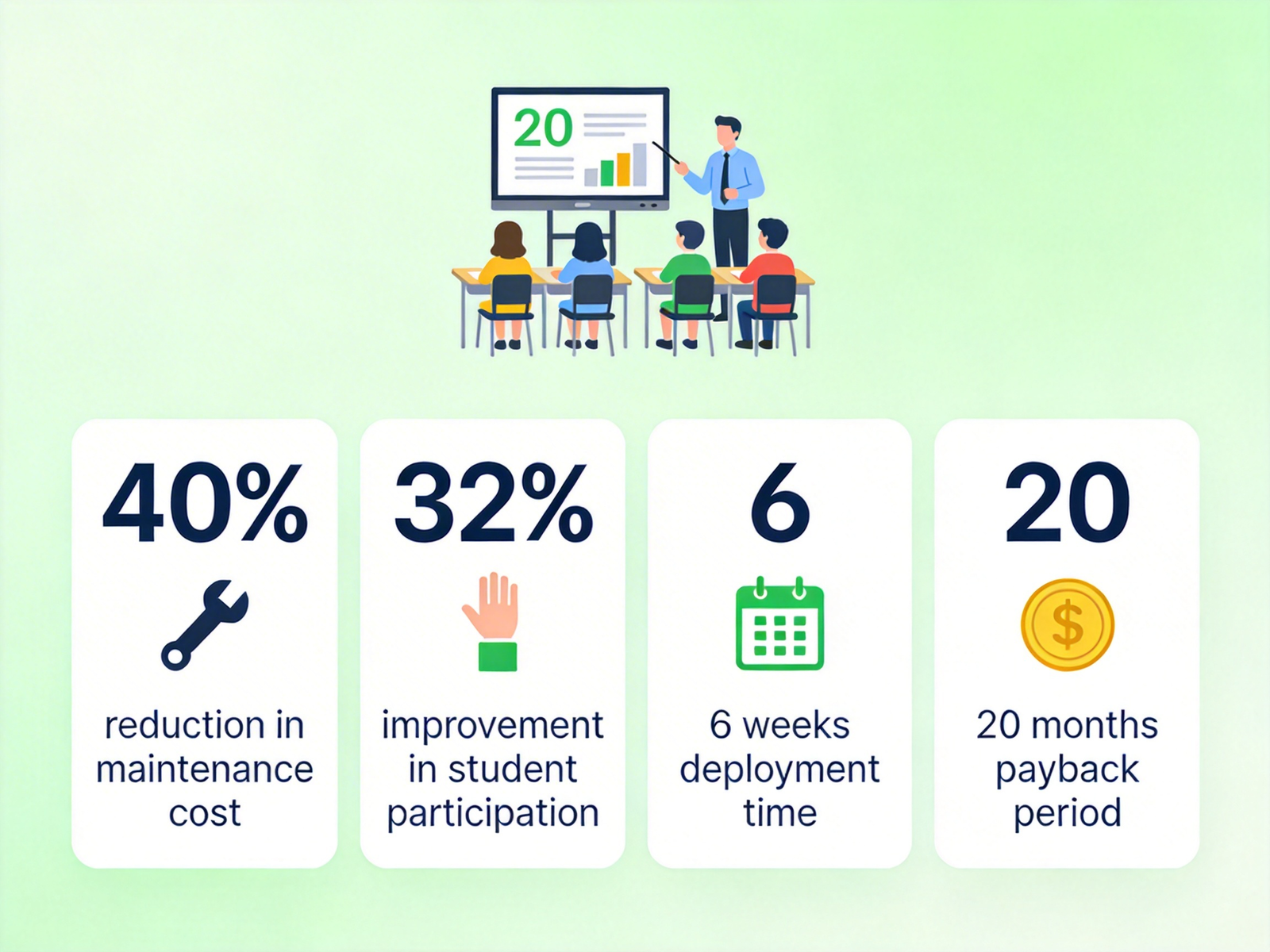
The deployment team selected cloud-managed 4K AI integrated interactive whiteboards with dual Android/Windows OS, pre-loaded with free licensed SMART Notebook teaching software. The cloud CMS platform allowed the central IT team to pre-configure all devices with school-specific settings, LMS integration, and teaching software before shipment, reducing on-site installation time to 45 minutes per device. The full deployment was completed in 6 weeks, 40% faster than the original timeline, eliminating the long deployment cycle pain point.
12-month post-deployment metrics showed: – 40% reduction in post-maintenance costs, as auto-calibration and over-the-air updates eliminated 90% of planned on-site service calls – 32% improvement in student classroom participation, measured via teacher logs and built-in device usage metrics that track simultaneous user count per session – The devices support up to 10 simultaneous student users during group work activities, meeting the multi-user collaborative teaching needs of 45-person classes across all grade levels – Initial ROI calculations show the project will hit full payback in 20 months, 4 months ahead of the original forecast.
This case is consistent with multi-user collaboration interactive whiteboard case studies for education that show average engagement improvements of 25-35% for K-12 deployments
FAQ: Common Questions for 20-Point Touch Interactive Whiteboard Procurement
How many users can operate a 20-point touch interactive whiteboard at the same time?
A true 20/40-point touch interactive whiteboard supports up to 20/40 simultaneous touch inputs, which translates to up to 10/20 simultaneous users operating with two hands, or 20/40 users operating with a single finger or stylus. For most education and enterprise use cases, this supports up to 6-10-20 simultaneous active users without input lag or interference, due to palm rejection technology that filters out unintended contact with the display.
Does the 20/40-point touch interactive whiteboard support both Android and Windows systems?
All premium 20/40-point touch interactive whiteboards include dual Android/Windows OS compatibility, with native support for both operating systems without additional adapters or driver installations. Many models include a built-in Android system for basic operation, with an optional Windows