
Interactive Flat Panel for Meeting Rooms:
The Modern Solution Transforming Corporate Collaboration
In today’s fast-paced business environment, where hybrid work models have become the norm and global teams collaborate across time zones, the traditional meeting room setup is rapidly becoming obsolete. Organizations worldwide are recognizing that outdated projector systems and static whiteboards simply can’t keep pace with the demands of modern collaboration. Enter the interactive flat panel – a revolutionary technology that’s redefining how teams connect, create, and communicate.
What Is an Interactive Flat Panel?
An interactive flat panel, also known as an interactive whiteboard, smart board, or interactive display, is essentially a large-format touchscreen display designed specifically for collaborative environments. Think of it as a giant, incredibly powerful tablet mounted on your conference room wall. But unlike traditional display solutions, an interactive flat panel combines cutting-edge display technology with intuitive touch capabilities, built-in computing power, and seamless connectivity – all in one sleek, integrated package.
These displays typically feature 4K Ultra HD resolution, multi-touch capabilities supporting up to 20 simultaneous touch points, and come equipped with built-in cameras, microphones, and speakers. They run on operating systems like Android or Windows, allowing them to function independently or integrate seamlessly with your existing devices and software platforms.
Why Choose an Interactive Flat Panel for Your Meeting Rooms?
The shift toward interactive flat panels isn’t just about following a technology trend – it’s about solving real business challenges. Market research shows that the global interactive flat panel display market is experiencing explosive growth, projected to reach $113 billion by 2035, with corporate adoption leading the charge. Here’s why forward-thinking organizations are making the switch:
Superior Visual Experience
Unlike traditional projectors that struggle with ambient light and often produce washed-out images, interactive flat panels deliver consistent, vibrant 4K clarity regardless of room lighting. No more closing blinds or dimming lights for presentations. Your data visualizations, design mockups, and financial reports will look crisp and professional every time.
Zero-Maintenance Reliability
Projectors require regular bulb replacements, filter cleaning, and recalibration – ongoing costs and downtime that add up quickly. Interactive flat panels have no consumable parts and are designed for 50,000+ hours of reliable operation. Once installed, they just work, year after year.
All-in-One Integration
Traditional meeting rooms often required a patchwork of equipment: projector, screen, separate whiteboard, external speakers, video conferencing camera, and microphone array. An interactive flat panel consolidates all these functions into a single, streamlined solution. This not only reduces equipment redundancy but also simplifies installation, troubleshooting, and maintenance.
True Interactivity
This is where interactive flat panels truly shine. They transform passive presentations into active collaboration sessions. Multiple team members can simultaneously annotate documents, brainstorm on a digital canvas, manipulate 3D models, and work together in real-time – whether they’re in the room or joining remotely.
How to Choose the Right Size for Your Meeting Room
Selecting the appropriate screen size is crucial for ensuring optimal visibility and user experience. Here’s our comprehensive guide based on room dimensions and typical usage scenarios:
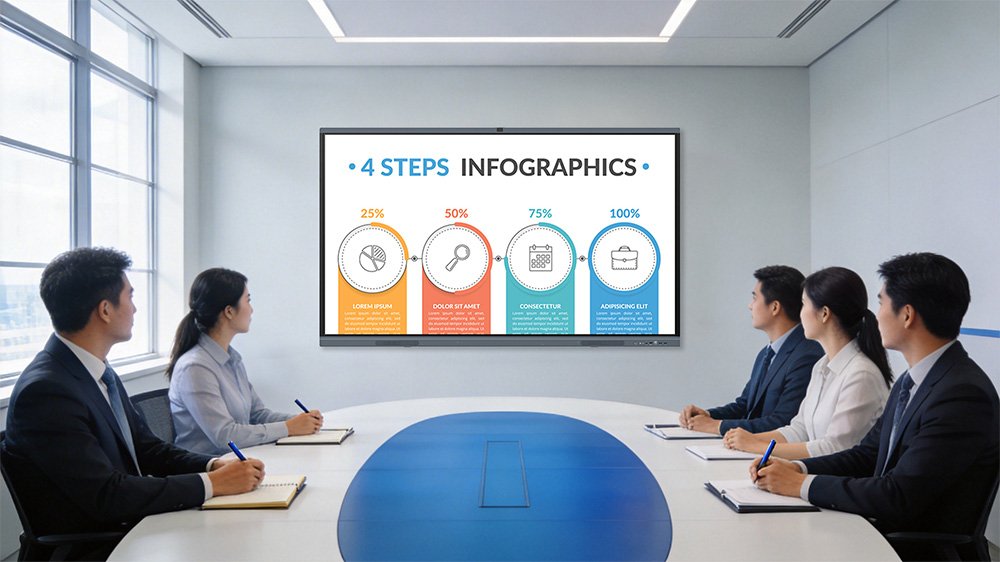
Small Meeting Rooms & Huddle Spaces (2-4 participants)
Recommended Size: 55-65 inches
For intimate collaboration spaces, small conference rooms, and huddle areas where teams gather for quick brainstorming sessions or one-on-one meetings, a 55-inch to 65-inch interactive flat panel provides ample screen real estate without overwhelming the space. These sizes are ideal for rooms measuring approximately 10×12 feet (3×3.5 meters) or smaller. Participants sitting 3-6 feet from the screen will enjoy clear visibility and comfortable interaction.
Best for:
- Daily stand-up meetings
- Small team project reviews
- Client presentations in private offices
- Quick video calls with 2-3 remote participants
Medium Conference Rooms (5-10 participants)
Recommended Size: 75-86 inches
This is the sweet spot for most corporate environments. A 75-inch to 86-inch display is perfect for standard conference rooms measuring 12×16 feet (3.5×5 meters) or larger. These sizes ensure that everyone in the room, even those seated at the far corners, can clearly read text, view detailed diagrams, and follow presentations without strain. The 86-inch size, in particular, has become the industry standard for corporate boardrooms and training rooms.
Best for:
- Regular team meetings
- Departmental presentations
- Training sessions
- Cross-functional project reviews
- Video conferences with larger remote teams
Large Conference Rooms & Executive Boardrooms (10+ participants)
Recommended Size: 98-110 inches
For substantial meeting spaces, executive boardrooms, and training halls that accommodate 10 or more participants, larger displays are essential. Rooms measuring 16×20 feet (5×6 meters) or more benefit from 98-inch to 110-inch screens. These impressive displays ensure that content remains legible from viewing distances of 10-15 feet or more, making them ideal for presenting to large groups or conducting company-wide announcements.
Best for:
- Executive board meetings
- Company town halls
- Large-scale training sessions
- Client presentations and product demos
- High-stakes proposal reviews

Important Considerations
When selecting your screen size, consider these additional factors:
Ceiling Height: Ensure adequate clearance above the display for proper viewing angles and installation flexibility.
Viewing Distance: As a general rule, multiply the screen diagonal (in inches) by 1.5 to determine the minimum comfortable viewing distance in inches. For example, a 75-inch screen works well for viewers seated approximately 9 feet away.
Content Type: If your meetings frequently involve detailed spreadsheets, technical drawings, or design work, lean toward larger sizes to ensure fine details remain visible.
Room Configuration: Consider furniture arrangement. Will participants be seated in rows, around tables, or in a U-shape? Ensure everyone has an unobstructed view.
The Business Case: ROI and Long-Term Value
Investing in interactive flat panels isn’t merely a technology upgrade – it’s a strategic business decision with measurable returns. Let’s break down the return on investment from multiple angles:
Reduced Meeting Duration and Increased Productivity
Studies consistently show that interactive flat panels can reduce meeting times by 10-15% while improving decision quality. How? By eliminating technical delays (no more fumbling with cables or adjusting projector focus), enabling real-time collaboration that reduces follow-up meetings, and keeping participants more engaged through interactive elements.
Consider this calculation: If your organization holds 40 meetings per day across 10 conference rooms, and each meeting saves just 10 minutes through improved efficiency, that’s 400 minutes recovered daily – equivalent to adding 1,600 productive hours annually. In most organizations, this productivity gain alone justifies the investment within 18-24 months.
Lower Travel Costs Through Enhanced Remote Collaboration
The global shift to hybrid work has made effective remote collaboration non-negotiable. Interactive flat panels with integrated video conferencing capabilities enable high-fidelity virtual meetings that reduce the need for business travel. Even a modest 20% reduction in domestic travel and 10% reduction in international travel can yield substantial savings, particularly for organizations with distributed teams or global client relationships.
Decreased Maintenance and Operational Expenses
When calculating total cost of ownership (TCO), interactive flat panels offer significant advantages over traditional projector-based systems:
- No bulb replacements: Projector bulbs cost $150-300 and need replacement every 2-3 years
- No filter cleaning: Eliminates regular maintenance labor costs
- Reduced energy consumption: LED panels consume significantly less power than projector systems
- Longer lifespan: 50,000+ hours vs. 3,000-5,000 hours for projector bulbs
Over a typical 5-7 year lifecycle, an interactive flat panel can reduce meeting room operating costs by 40-60% compared to projector-based setups.
Enhanced Professional Image and Client Impressions
Your meeting rooms are often the first physical space clients and partners experience. Modern, well-equipped conference rooms equipped with cutting-edge interactive displays send a powerful message about your organization’s commitment to innovation, collaboration, and technological sophistication. This can strengthen client relationships and contribute to business development efforts, particularly in technology, consulting, and creative industries.
Improved Knowledge Retention and Decision Documentation
Interactive flat panels enable instant capture and sharing of meeting notes, annotations, and decisions. This reduces miscommunications, eliminates the need for someone to manually photograph whiteboards, and ensures that valuable insights and action items are preserved and distributed efficiently. The cumulative impact of better documentation across an organization can significantly reduce rework and accelerate project timelines.

User Experience: What Makes Interactive Flat Panels Exceptional?
The true measure of any technology is how it performs in day-to-day use. Interactive flat panels excel in creating seamless, intuitive user experiences that remove friction from collaboration:
Natural Writing Experience
Modern interactive flat panels deliver writing experiences that feel remarkably like pen on paper. Advanced touch technologies – including infrared and capacitive systems – provide sub-5-millisecond response times, meaning there’s virtually no lag between your stroke and the digital ink appearing on screen. Palm rejection technology allows you to rest your hand naturally while writing, just as you would on a notepad. Some premium models even offer pressure sensitivity, giving you control over line weight and thickness for more expressive annotations.
Effortless Wireless Connectivity
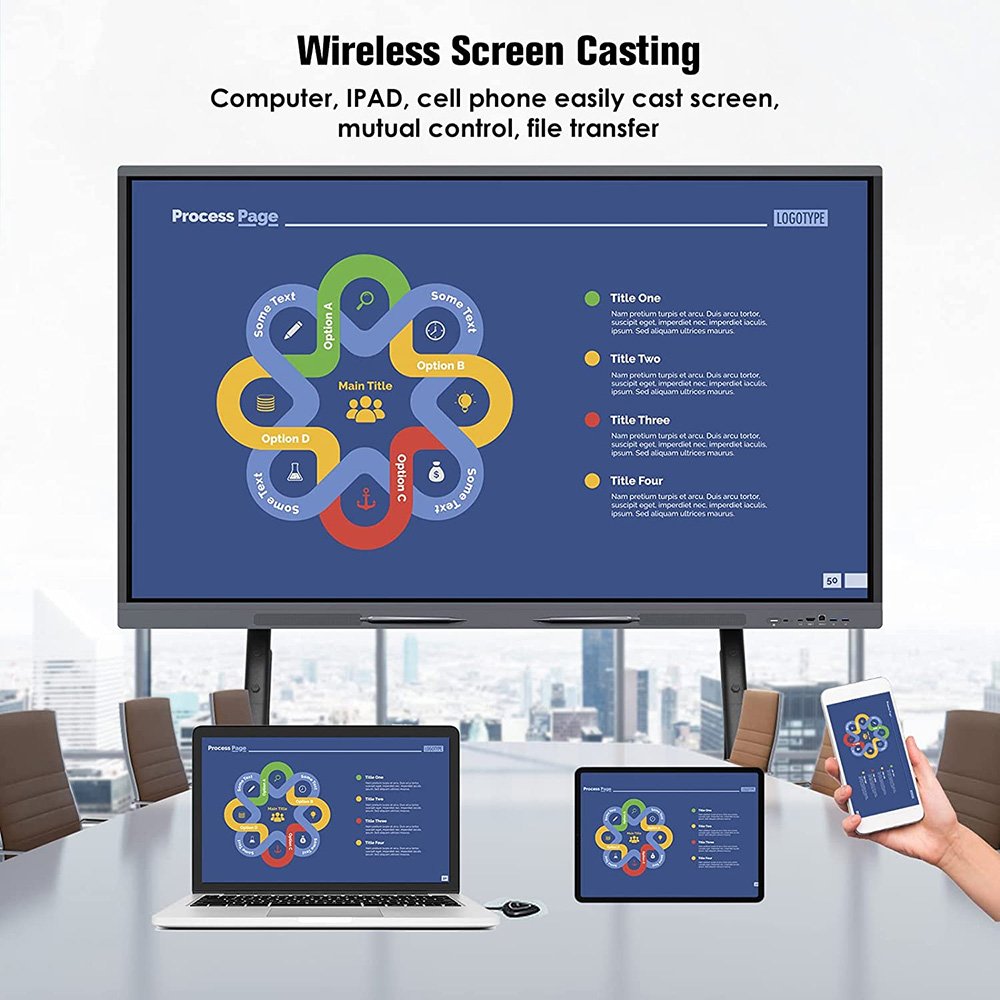
Gone are the days of searching for the right HDMI cable or struggling with incompatible adapters. Today’s interactive flat panels feature robust wireless presentation capabilities that support multiple devices simultaneously. Whether you’re using Windows, Mac, iOS, or Android, you can share your screen with a single tap or click. Many systems support up to 4-8 concurrent device connections, making it easy to compare content side-by-side or transition between presenters without interruption.
Seamless Remote Collaboration Integration
Interactive flat panels are designed to work seamlessly with leading video conferencing platforms including Microsoft Teams, Zoom, Google Meet, and Webex. Built-in cameras (often 4K quality), microphone arrays (frequently with AI-powered noise cancellation and speaker tracking), and high-quality speakers eliminate the need for external peripherals. Remote participants see exactly what’s on screen in real-time, including annotations and drawings, creating truly inclusive hybrid meetings where everyone can contribute equally.
Intuitive Interface Design
Unlike traditional AV systems that often require specialized training, interactive flat panels feature user-friendly interfaces that anyone can navigate confidently within minutes. Touch-based controls, gesture recognition (pinch to zoom, swipe to navigate), and customizable home screens make the technology feel familiar rather than intimidating. This reduces training time and ensures high adoption rates across your organization.
Versatile Software Ecosystem
Modern interactive flat panels support a wide range of applications and use cases:
- Digital whiteboarding apps for brainstorming and ideation
- Annotation tools that work over any application or document
- Screen recording capabilities for capturing presentations and training sessions
- File sharing and cloud integration with services like Google Drive, OneDrive, and Dropbox
- Educational and training software with interactive quizzes, polls, and assessments
Accessibility and Inclusivity Features
Leading interactive flat panels incorporate accessibility features that ensure all participants can fully engage:
- Screen magnification for users with visual impairments
- High-contrast display modes
- Closed captioning support
- Voice control options
- Adjustable display heights (when paired with appropriate mounts or stands)
These features not only ensure compliance with accessibility regulations but also demonstrate your organization’s commitment to creating inclusive work environments.
The Future of Meeting Rooms: Why Act Now?
The pace of technological change in workplace collaboration continues to accelerate. Several emerging trends are making interactive flat panels increasingly essential:
- AI integration: Advanced models now incorporate AI features like handwriting-to-text conversion, automatic meeting summaries, and intelligent content suggestions
- Sustainability focus: Energy-efficient designs and reduced paper consumption align with corporate ESG goals
- Hybrid work normalization: As remote and hybrid work models become permanent, inclusive collaboration tools are business-critical
- Data analytics: Modern systems provide insights into meeting room utilization and collaboration patterns
Organizations that invest now in interactive flat panel technology will be well-positioned to leverage these advancing capabilities and maintain competitive advantage in attracting talent and serving clients.
Making the Right Choice for Your Organization
Selecting the right interactive flat panel involves considering several factors beyond screen size:
Touch Technology: Infrared (IR) systems offer excellent durability and multi-touch support, while capacitive technology provides superior precision and palm rejection.
Operating System: Android-based systems offer simplicity and built-in whiteboarding apps, while Windows-compatible panels provide full software compatibility for specialized applications.
Connectivity Options: Ensure the panel offers comprehensive connectivity including HDMI, USB-C, Wi-Fi, Bluetooth, and Ethernet to support your existing devices and workflows.
Software Ecosystem: Evaluate the included whiteboarding, annotation, and collaboration software – these are crucial for day-to-day usability.
Mounting Options: Consider whether wall mounting, mobile stands, or a combination of both best serves your space and usage patterns.
Support and Warranty: Look for manufacturers offering comprehensive warranties, responsive technical support, and regular software updates.
Conclusion: Transform Your Collaboration Today
The modern workplace demands collaboration tools that are as dynamic, flexible, and innovative as the teams using them. Interactive flat panels have evolved from cutting-edge novelties to essential business infrastructure, delivering measurable ROI through improved productivity, reduced costs, and enhanced collaboration quality.
Whether you’re outfitting a single huddle room or standardizing across a global enterprise, the benefits of interactive flat panels are clear: better meetings, faster decisions, and more engaged teams. The question isn’t whether you can afford to upgrade – it’s whether you can afford to maintain outdated meeting environments that limit your organization’s collaborative potential.
Ready to transform your meeting rooms? Contact our team today for a personalized consultation, product demonstrations, and customized recommendations based on your specific space requirements and collaboration needs. Let’s create meeting environments that inspire innovation and drive business success.
About This Guide: This article provides comprehensive insights into interactive flat panel technology for meeting rooms. For specific product recommendations, detailed pricing information, or to schedule a demonstration, please reach out to our sales team directly.